
Independent review · 2026
Jan Review
Jan is an open-source, offline-first desktop AI client that prioritizes radical transparency over polished UX — its codebase is entirely public on GitHub, its local inference runs without any network dependency, and its philosophy is explicitly anti-platform-lock-in. The 6.8 essay fit score reflects the same hardware constraint that limits all local inference tools: output quality is bounded by what runs on your machine, and on typical student hardware that means 7B to 13B parameter models rather than the 70B class that pushes local inference toward cloud parity. Where Jan differentiates from LM Studio is philosophy and extensibility: Jan is more modular, more hackable, and more committed to full offline operation as a first-class design goal rather than a feature. For privacy-minded students who also want to understand and potentially modify their AI tooling, Jan is the stronger philosophical fit. For students who want local inference with the least setup friction, LM Studio's polished UX may be the more practical starting point.
jan.ai · #48 in TOP 50
Open-weight chat
Local & cloud models
Our verdict
Jan is an open-source, offline-first desktop AI client that prioritizes radical transparency over polished UX — its codebase is entirely public on GitHub, its local inference runs without any network dependency, and its philosophy is explicitly anti-platform-lock-in. The 6.8 essay fit score reflects the same hardware constraint that limits all local inference tools: output quality is bounded by what runs on your machine, and on typical student hardware that means 7B to 13B parameter models rather than the 70B class that pushes local inference toward cloud parity. Where Jan differentiates from LM Studio is philosophy and extensibility: Jan is more modular, more hackable, and more committed to full offline operation as a first-class design goal rather than a feature. For privacy-minded students who also want to understand and potentially modify their AI tooling, Jan is the stronger philosophical fit. For students who want local inference with the least setup friction, LM Studio's polished UX may be the more practical starting point.
Overview
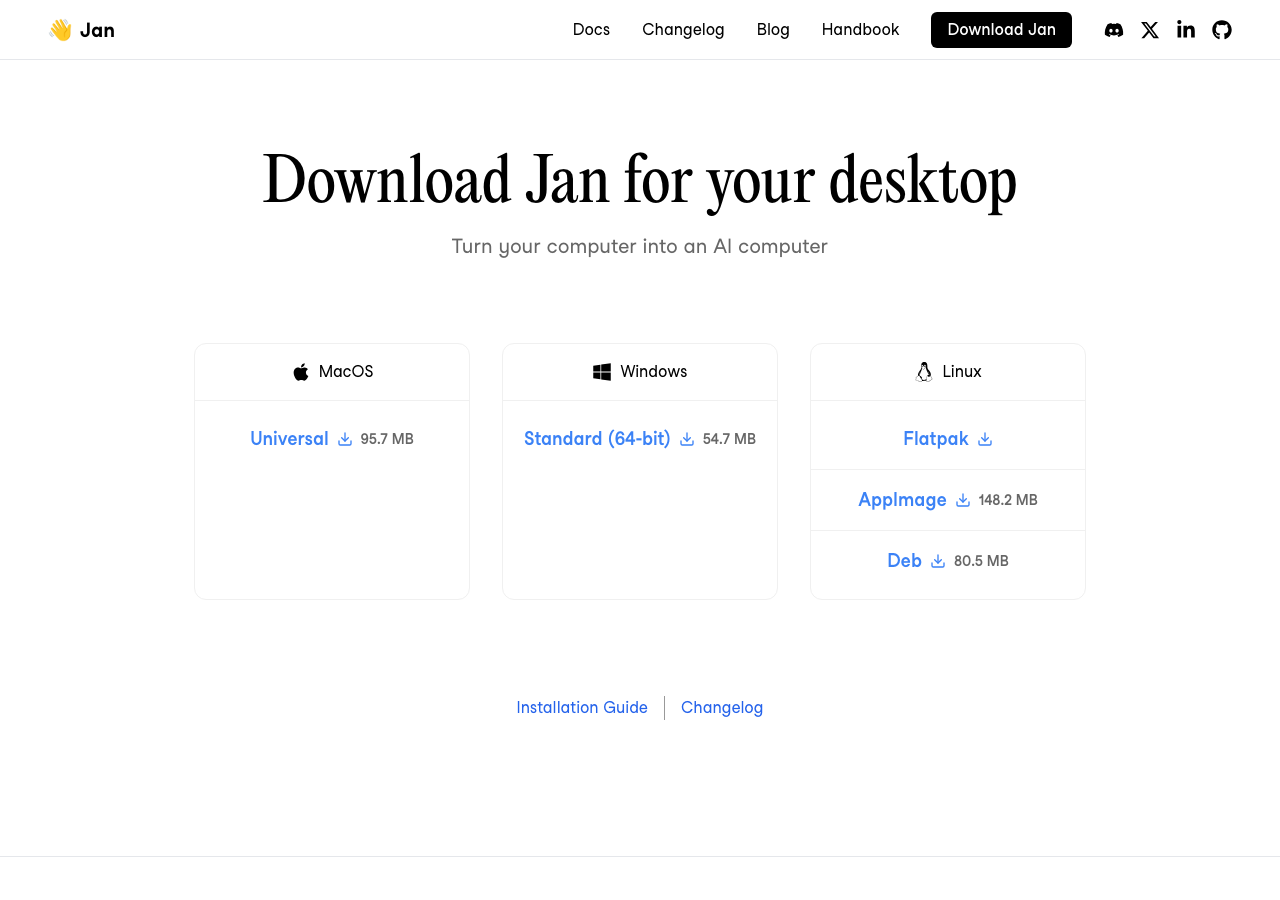
Jan (jan.ai) was developed by the same team that later became known in the open-source AI community for building local-first software aligned with privacy principles. The application's architecture is explicitly separated from any cloud dependency — Jan can run completely offline, routing all inference to local models, and requires no account, no API key, and no internet connection once models are downloaded. This is a deliberate design choice that places Jan at the far end of the privacy spectrum: more thoroughly local than DuckDuckGo AI Chat, more offline-capable than LM Studio in some edge configurations, and more open in architecture than any commercial cloud product.
The dual capability — local models plus optional cloud model connections — gives Jan unusual flexibility. Students can run a local Llama model for sensitive academic work and connect the same interface to an Anthropic or OpenAI API key for high-stakes tasks where cloud model quality is necessary. That hybrid routing makes Jan a practical unified interface for managing multiple AI access methods rather than a pure local-only tool. The trade-off is interface complexity: Jan's settings and model management require more manual configuration than LM Studio's more guided experience.
Jan's design philosophy can be summarized as: AI should run on hardware you own, under software whose code you can read, without requiring trust in any company's data practices. This is a values statement as much as a product description, and it resonates with a specific population of students — those in computer science who want to learn about model inference, those in privacy-sensitive research fields, those in journalism or political research who handle sensitive sources, and those who find commercial AI platform lock-in philosophically objectionable.
The open-source nature of Jan means that any student who wants to understand exactly what happens to their prompts can audit the code. This level of transparency is categorically unavailable with commercial AI products — OpenAI, Anthropic, and Google all operate closed systems where the prompt handling code is proprietary. For students whose trust in AI systems is conditional on verifiability, Jan's open codebase is a meaningful property that commercial platforms simply cannot match.
For the majority of students whose primary concern is producing a good essay efficiently, Jan's philosophical differentiation is less important than practical writing performance. The essay fit score of 6.8 reflects honest capability assessment: local models in Jan's typical hardware range produce solid short-form writing assistance and workable drafting support for medium-complexity academic writing. They do not match the frontier models on nuanced argumentation, but they handle essay outlining, paragraph expansion, grammar and clarity editing, and topic research summarization competently within their capability envelope.
Jan's interface is evolving rapidly as of 2025–2026. The project releases updates frequently, and the user experience has improved substantially from early versions while still trailing LM Studio's polish on first-time setup. Students considering Jan should download the current release rather than relying on reviews that may be based on earlier versions, and should check the GitHub repository for known issues on their operating system before installation.
Privacy architecture and offline operation
The most technically precise statement of Jan's privacy guarantee: when Jan is configured to use only local models and no cloud API connections, every computation in the AI inference pipeline occurs on your machine. Jan does not phone home, does not report usage statistics, does not transmit prompts for model improvement, and does not require an internet connection to function. A student on an airplane with no Wi-Fi who has previously downloaded models can open Jan, draft an essay, and receive AI assistance with complete network isolation. This is the most thorough offline capability in the consumer AI space.
Network monitoring is a useful verification step for privacy-skeptical users. Run a network traffic monitor (like Little Snitch on macOS or Glasswire on Windows) while using Jan in local mode to confirm that no outbound connections are made during inference. This verification converts a policy promise into an observable physical fact, which is the appropriate standard for situations where privacy matters enough to justify local inference overhead in the first place.
Jan's optional cloud model integration is configured through explicit API key entry in the application settings — there is no implicit fallback from local to cloud inference when local models are slow or unavailable. This design choice means students never accidentally route sensitive prompts to a cloud service because local inference was taking too long. The explicit opt-in architecture for cloud connections is more protective than systems that automatically fall back to cloud when local resources are insufficient.
For students in fields where data sovereignty arguments are most compelling — law school clinical programs handling simulated client materials, social work programs analyzing case vignettes, medical school students practicing clinical write-ups — the combination of offline operation and open-source auditability makes Jan's privacy architecture appropriately rigorous. These are niche use cases, but they represent genuine needs that commercial cloud products cannot satisfy on privacy grounds alone.
Model ecosystem and setup
Jan supports GGUF-format models from Hugging Face, which encompasses the full range of major open-weight model families available for local inference. The in-app model hub simplifies download for popular models — Llama variants, Mistral models, Qwen series, and various fine-tuned specializations are available through the GUI without command-line interaction. Less popular or very new model releases may require manual GGUF download from Hugging Face and local file import, which introduces the command-line friction that Jan's design otherwise minimizes.
The hardware requirements for meaningful writing assistance in Jan are similar to those in LM Studio: 16GB RAM for models that produce reliably coherent academic writing, 8GB RAM for lighter 7B models that work for simpler tasks. The key practical difference is that Jan's inference engine may perform somewhat differently than LM Studio's on the same model weights — inference performance benchmarks on identical hardware and model combinations show minor variations between the two applications, so testing both with a model in your size range is worthwhile if you are choosing between them.
Jan's extension system is a distinguishing technical feature for technically capable students. Extensions can add new model inference backends, modify the interface, add new input modalities, or integrate external tools. For a computer science student who wants to understand local AI architecture, Jan's extension system provides a practical hands-on learning environment. For a humanities student who wants to use AI for essay assistance with minimum technical overhead, this extensibility is irrelevant and the simpler path is to download Jan, load a model, and start a conversation without exploring the extension system.
Cloud model integration through Jan requires API keys from providers — OpenAI, Anthropic, Groq, and others are supported. When using cloud models through Jan, your prompts are transmitted to those providers under their respective privacy policies, just as they would be through the providers' own interfaces. Jan functions as an API client in this mode, not as a privacy layer — the privacy guarantee only applies to local model inference. Understanding this distinction prevents the misconception that using Jan somehow makes cloud model use private.
Essay writing performance and practical use
For essay drafting at the 7B to 13B parameter range — the realistic target for students with 8GB to 16GB RAM machines — Jan's writing performance is best described as reliable for structured tasks and less consistent for complex analytical writing. Outlining an essay from bullet points, expanding paragraph stubs into full prose, editing for grammar and clarity, and summarizing source material are all within the competent range. Constructing a sophisticated argumentative thesis that engages with secondary sources and anticipates counterarguments is more challenging for smaller models and shows inconsistency.
The practical workflow for academic writing in Jan: start with an explicit prompt that includes the essay topic, academic level, required length, discipline, and citation format. Jan's default system prompt is not optimized for academic writing and often produces generic responses. Setting a custom system prompt in Jan's model settings that specifies an academic writing assistant role significantly improves output quality for essay-related tasks. This customization step is one extra configuration click but meaningfully changes output quality.
Jan does not yet have robust persistent conversation memory that carries context across sessions in a structured way comparable to ChatGPT's Projects or Claude's memory features. Each new conversation window starts with the model's system prompt but no content from previous sessions unless you manually paste in context. For students drafting a long essay across multiple work sessions, the workaround is to maintain a working document with the current draft, outline, and key points, and paste the relevant context at the start of each new Jan session. This manual context management is the primary UX cost of Jan's local-first architecture compared to cloud products with structured memory.
Jan's performance on the hybrid use case — local model for day-to-day drafting, cloud model for high-stakes analytical work — is practically useful for students who want to economize on subscription costs while maintaining access to frontier capability when it matters. Use the locally running Mistral 7B for outline building and paragraph drafts; route the final synthesis and complex counterargument development session to Claude Sonnet via the Anthropic API key configured in Jan's settings. This workflow keeps the cost of frontier AI access low while providing full local inference for the bulk of drafting work.
Jan versus LM Studio: choosing between local inference applications
The practical decision between Jan and LM Studio for a student who wants local AI inference comes down to two variables: setup polish preference and philosophical commitment to open-source principles. LM Studio offers a more refined first-time user experience, better model browser curation, and a slightly more intuitive chat interface. Jan offers fully open-source code, a more modular architecture for extension and customization, and a community organized explicitly around privacy and digital sovereignty values.
Students who are comfortable with technology and motivated by transparency and open-source principles should try Jan. Students who want the simplest possible path to running local models and have no strong philosophical preference should try LM Studio. Both are free, both support GGUF models from Hugging Face, and both produce comparable inference performance on the same hardware with the same model. The choice is primarily a UX and values match rather than a capability difference.
Hardware with less than 16GB RAM is adequately served by either application but should not expect the same writing quality as cloud frontier services. The honest comparison is Jan or LM Studio with a 7B model versus ChatGPT Free or Claude Free — both are free, the cloud free tiers are generally faster and produce better output on complex tasks, but the local tools process prompts in full privacy. Set expectations accurately before investing setup time in local inference.
Long-term commitment to local inference is a meaningful decision for students considering it for multi-year degree programs. Committing to Jan or LM Studio for three to four years means accepting the ongoing maintenance of model updates, hardware upgrades as capability expectations rise, and occasional application updates that may break configurations. Cloud services abstract away this maintenance burden at the cost of data processing by third parties. Students should evaluate whether the privacy benefit justifies the ongoing maintenance overhead for their specific academic situation.
Bottom line
Jan is the right local AI client for students who want to run verifiably private AI inference with a fully open-source toolchain and are comfortable with the technical overhead that entails. The 6.8 essay fit score reflects honest performance on typical student hardware — good for routine academic writing assistance, limited for complex analytical work that requires frontier-model reasoning depth.
The comparison with LM Studio is close enough that the choice often comes down to whether you value the open-source architecture specifically or just want a local inference setup with minimum friction. For pure privacy with minimum friction, LM Studio's polish wins. For privacy plus auditability plus open-source community alignment, Jan wins.
The comparison with cloud free tiers is also important: Claude Free and Gemini Free are faster, produce stronger writing at no hardware cost, and are free to use — the only thing they cannot offer is the offline, fully local privacy that Jan provides. If privacy is the requirement, Jan is the answer. If privacy is merely a preference and convenience matters more, start with the cloud free tiers.
Pros
- Fully open-source codebase — auditability is the strongest privacy guarantee available for any AI client.
- Complete offline operation when configured with local models — no network connection required after model download.
- Hybrid local and cloud model routing — same interface for local privacy drafting and occasional frontier-quality cloud sessions.
- No account, no subscription, no data retained by any company — absolute zero commercial data footprint in local mode.
Cons
- Setup and configuration require more technical engagement than LM Studio or cloud products.
- Essay quality bounded by hardware — 7B-13B parameter models on typical student hardware are noticeably weaker than frontier cloud models.
- No persistent cross-session conversation memory — manual context management required for multi-session essay projects.
- Interface polish trails LM Studio and substantially trails cloud products — slower iteration for students who are not technically motivated.
Pricing
- Jan has a free tier or free product access — rate limits and model caps apply; paid upgrades may exist on jan.ai.
- Flagship stack: Local & cloud models. Features and model names change; verify before you subscribe.
Models & access
Local & cloud models. Availability, rate limits, and regional restrictions change — confirm on jan.ai before subscribing.
Compare alternatives
Who it's for
- Fully open-source codebase — auditability is the strongest privacy guarantee available for any AI client.
- Complete offline operation when configured with local models — no network connection required after model download.
- Hybrid local and cloud model routing — same interface for local privacy drafting and occasional frontier-quality cloud sessions.
- No account, no subscription, no data retained by any company — absolute zero commercial data footprint in local mode.
Who should compare alternatives
- Setup and configuration require more technical engagement than LM Studio or cloud products.
- Essay quality bounded by hardware — 7B-13B parameter models on typical student hardware are noticeably weaker than frontier cloud models.
- No persistent cross-session conversation memory — manual context management required for multi-session essay projects.
- Interface polish trails LM Studio and substantially trails cloud products — slower iteration for students who are not technically motivated.
Student experiences
Ratings from students who used Jan on real assignments — includes critical reviews.
Loading student reviews…
2,332 words · Updated 2026