
Independent review · 2026
GitHub Copilot Pro Review
GitHub Copilot Pro is the AI tool that CS and engineering students often already have for free through the GitHub Student Developer Pack, and repurposing it for academic writing is a natural extension of a subscription most technical students are not paying for. The 6.5 essay fit score reflects a deliberate positioning: Copilot is a coding assistant that happens to include chat capabilities good enough for technical writing — computer science papers, algorithm explanations, LaTeX document preparation, research proposals in STEM fields, and technical documentation. It is not a general academic writing platform for humanities, social science, or professional writing, and students who use it for literary analysis, argumentative philosophy papers, or personal statements will find the prose register either too technical or too generic compared to what ChatGPT Plus or Claude Pro produce. Use Copilot for what it was built for and it is an excellent free resource. Use it outside that domain and you are choosing an inferior tool for the task.
github.com · #49 in TOP 50
Frontier subscription
GPT-4o class · Copilot
Our verdict
GitHub Copilot Pro is the AI tool that CS and engineering students often already have for free through the GitHub Student Developer Pack, and repurposing it for academic writing is a natural extension of a subscription most technical students are not paying for. The 6.5 essay fit score reflects a deliberate positioning: Copilot is a coding assistant that happens to include chat capabilities good enough for technical writing — computer science papers, algorithm explanations, LaTeX document preparation, research proposals in STEM fields, and technical documentation. It is not a general academic writing platform for humanities, social science, or professional writing, and students who use it for literary analysis, argumentative philosophy papers, or personal statements will find the prose register either too technical or too generic compared to what ChatGPT Plus or Claude Pro produce. Use Copilot for what it was built for and it is an excellent free resource. Use it outside that domain and you are choosing an inferior tool for the task.
Overview
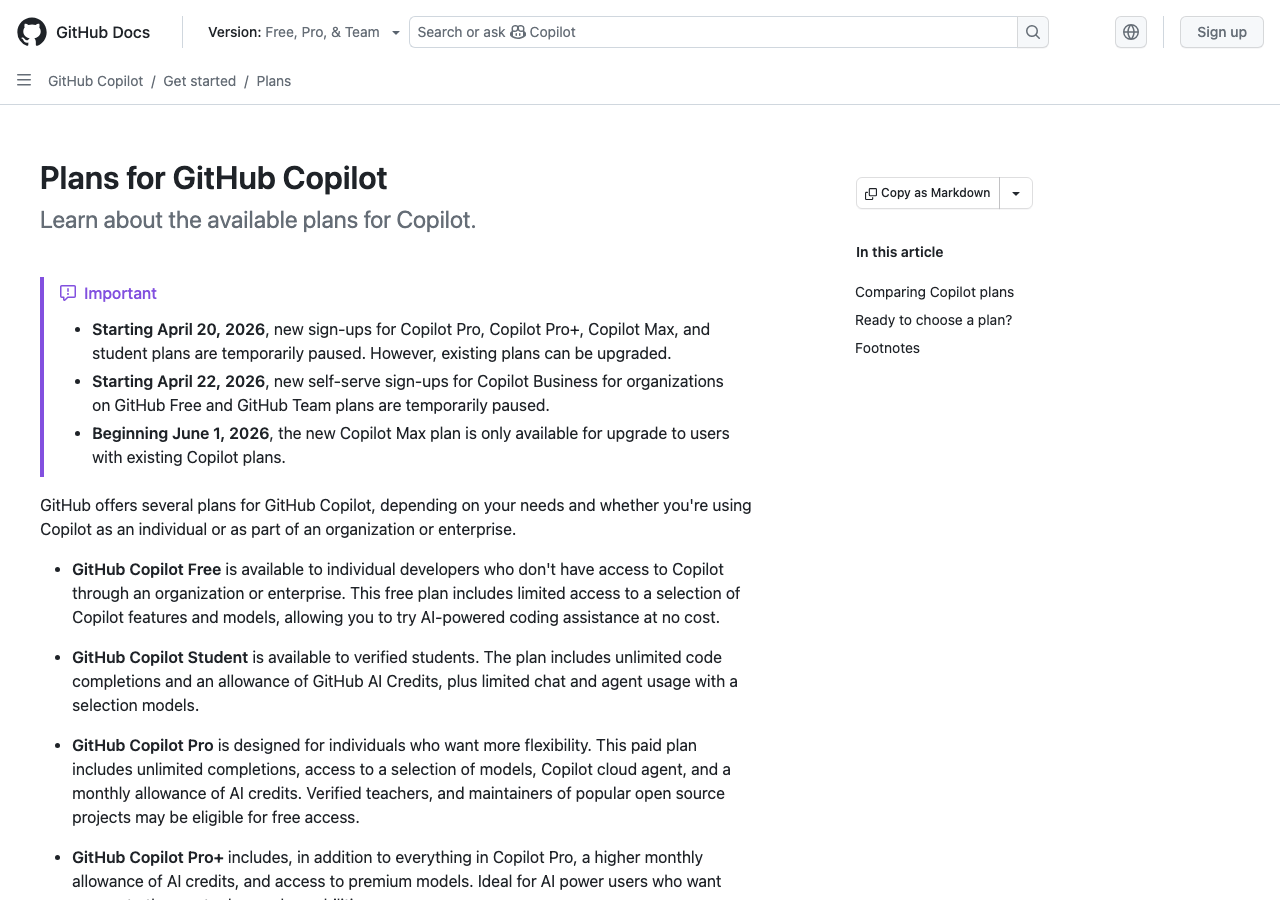
GitHub Copilot's student tier pricing deserves the headline it rarely gets in AI writing discussions: verified students in higher education can access GitHub Copilot Pro free of charge through the GitHub Student Developer Pack. The standard $10/month subscription is already cheap relative to frontier AI options, but free-with-edu-email changes the calculation entirely. A CS student who already uses Copilot for code completion in their coursework labs and programming assignments has an AI writing assistant for their technical papers, project documentation, and research write-ups bundled into the same tool with no additional cost.
The Copilot chat interface, accessible in GitHub.com, in VS Code, and in JetBrains IDEs, uses GPT-4o class models to answer questions, draft technical explanations, assist with debugging, and help structure technical documents. For a computer science student writing a systems design paper, a data structures assignment that requires written explanation of algorithm complexity, or a research proposal for a professor's lab, Copilot's technical grounding makes it more useful than a general-purpose writing AI that lacks the domain-specific knowledge to write accurately about hash collision resolution or Byzantine fault tolerance.
GitHub Copilot's origin as a code completion tool is both its greatest strength and its primary limitation for academic writing. The model is fine-tuned on an enormous volume of code repositories, technical documentation, programming tutorials, research papers in computing fields, and developer forum discussions. This training composition makes it exceptionally capable at tasks that overlap with software development culture: explaining algorithms and data structures clearly, writing technical specifications, generating LaTeX for mathematical notation, documenting code for academic project submissions, and drafting research proposals in computing, information science, and engineering.
The limitation is the mirror image of that strength: Copilot's training and fine-tuning have not been optimized for the rhetorical conventions of humanities disciplines, the argumentative structures of social science writing, or the interpretive vocabulary of literary and cultural studies. When asked to write an essay analyzing the symbolic function of water imagery in Toni Morrison's Beloved, Copilot produces grammatically clean text that misses the register entirely — the prose sounds like a technical summary rather than an analytical literary argument. The problem is not that Copilot cannot write English; it is that the academic discourse norms of close reading, theoretical engagement, and interpretive argument are underrepresented in its training relative to the technical discourse norms it has absorbed.
For the student who needs both technical and humanistic writing assistance, the honest tool allocation is: Copilot for CS papers, LaTeX documents, and technical writing; Claude or ChatGPT for history papers, sociology essays, philosophy arguments, and literary analysis. Using the right tool for each domain produces better output than trying to generalize either tool across the full spectrum of academic writing. This is a mature approach to the AI writing toolkit — not one tool to rule all genres, but domain-specialized tools used with awareness of each one's strengths.
GitHub Copilot Pro's $10/month price point, or free for verified students, makes it the most accessible funded AI subscription for technical students. The GitHub Student Developer Pack verification process requires a school email address or proof of enrollment and takes a few days to approve, but once verified, Pro access includes the full Copilot feature set. Students who are paying for ChatGPT Plus primarily for help with CS assignments should compare whether the two subscriptions serve different enough needs to justify both, or whether Copilot Free covers the technical writing use case while a cheaper or free general-purpose tool handles humanities.
CS papers and technical writing
Computer science academic writing has specific conventions that Copilot handles competently: precise description of algorithms in plain language, Big-O notation explanation in context, structured comparison of data structure trade-offs, system architecture prose for design documents, and explanation of programming paradigms for introductory pedagogy. These are the writing tasks that directly overlap with Copilot's training domain, and the outputs for these tasks are noticeably better than what a general-purpose assistant without code training produces.
For a systems programming course requiring a written analysis of memory allocation strategies, Copilot can draft a comparison of heap versus stack allocation, explain cache locality implications in prose, and describe the trade-offs between garbage collection approaches in a way that reflects accurate technical understanding rather than surface-level familiarity. A general writing assistant might produce approximately correct prose but show subtle technical imprecision that professors in CS departments will notice. Copilot's training on actual technical documentation reduces that precision gap.
Research papers in computing fields often require related work sections that describe prior approaches and position the current work within the field. Copilot's knowledge of established CS research papers, algorithms, and systems — up to its training cutoff — makes it useful for drafting related work prose for papers on topics within its training data. Verify that paper citations Copilot suggests are real and accurately described; hallucination remains a risk even in technically grounded models, but the rate of accurate technical description is higher than in models without CS-specific training.
Undergraduate software engineering capstone documentation is a practical use case that Copilot serves particularly well. Project READMEs, API documentation, architecture decision records, and user manual prose for software projects are all tasks Copilot was essentially trained to assist with. For a capstone project that requires both software deliverables and written documentation, using Copilot for both the code and the documentation produces consistent technical register across the submission.
LaTeX and mathematical writing
LaTeX support is a genuine Copilot differentiator for STEM students. Copilot provides code completion in LaTeX files in VS Code with the LaTeX Workshop extension, suggesting equation environments, theorem environments, bibliography entry formats, and document structure commands based on the surrounding context. For a mathematics student typesetting a proof, an engineering student writing a formal report with equations, or a physics student preparing a thesis, Copilot's LaTeX assistance reduces the lookup-and-syntax friction that slows non-expert LaTeX users.
The practical workflow is straightforward: install VS Code, add the LaTeX Workshop and GitHub Copilot extensions, and open your .tex file. Copilot suggests completions as you type, including equation formatting for common mathematical objects — matrices, integrals, summation notation, differential equations — and text environment wrappers for theorems, definitions, and lemmas. The suggestions are not always correct and require review, but they accelerate the formatting portion of LaTeX writing substantially compared to manual lookup.
For students unfamiliar with LaTeX, Copilot chat (in VS Code's sidebar) can explain LaTeX syntax in response to natural language questions: 'how do I write a centered equation with a numbered label' or 'what is the syntax for a multicolumn table in LaTeX.' These explanations are accurate for common LaTeX patterns and save the time of searching TeX Stack Exchange for standard formatting questions. The chat also helps debug compilation errors by explaining what the LaTeX error message means and suggesting likely fixes.
BibTeX bibliography management is another friction point Copilot helps with. Formatting citation entries correctly in BibTeX, understanding which entry type to use for conference papers versus journal articles versus technical reports, and generating consistent bibliography formatting across a document are all tasks where Copilot's suggestions reduce manual error. Always verify that BibTeX entries match the actual publication — Copilot may hallucinate publication details even when getting the entry format right.
Why Copilot is not the right choice for humanities
The case for not using GitHub Copilot as a humanities writing assistant is not that it produces incorrect English — it does not. The case is that it produces a register of English systematically misaligned with what humanities professors expect. Technical writing norms favor clarity, precision, and information density. Humanities writing norms favor interpretive argument, close engagement with sources, acknowledgment of scholarly debate, and a prose style that develops an analytical voice across paragraphs. These are different rhetorical modes, and Copilot's training has absorbed the first much more thoroughly than the second.
A practical test: ask Copilot to analyze the argumentative structure of a political philosophy text and ask Claude to do the same. Copilot will typically produce a structured bullet summary with clear section labels — accurate in content, functional in form, wrong in discourse register for a philosophy seminar. Claude will produce a flowing argumentative engagement that takes positions, acknowledges tensions in the text, and uses the vocabulary of philosophical analysis. The difference is not intelligence — it is domain-specific discourse training.
History writing requires the integration of primary and secondary sources into a narrative argument, including the calibration of historiographical debates, the handling of contradictory evidence, and the development of an original interpretive claim. Copilot's handling of historical argument is generic — it can describe events and summarize commonly available historical narratives but lacks the sensitivity to historiographical nuance that a history professor evaluates. For historical analysis, Claude's general humanistic training is significantly stronger.
Students in interdisciplinary programs that require both technical and humanistic writing — science and technology studies, digital humanities, science communication — face the most complex tool allocation problem. For sections of an essay that analyze technical systems or explain computational methods, Copilot adds value. For sections that engage with humanistic theory, critical discourse analysis, or interpretive argument, switching to Claude or ChatGPT produces better output. The discipline-specific register difference is meaningful enough to justify the context switching.
GitHub Student Developer Pack and free access
The GitHub Student Developer Pack is one of the most underutilized resources in higher education technology access. Verified students receive free access to over 100 developer tools including GitHub Copilot Pro, which is normally $10/month. The verification process requires submitting school email confirmation or enrollment documentation through education.github.com, and GitHub's review process typically takes one to five business days.
The free student access covers the full Copilot Pro feature set including the chat interface, multi-file context awareness in editors, and integration across VS Code, JetBrains IDEs, Neovim, and Xcode. This is not a limited trial or reduced-feature version — it is the same subscription paid users access, provided free on the basis of verified student status. Students who are unaware of this and paying for a separate AI writing subscription primarily for technical writing assistance should investigate Pack access immediately.
Copilot access through the Student Developer Pack is renewable annually for the duration of enrollment. Graduating seniors should note that Pack access ends upon graduation or degree completion — plan the transition to a paid subscription or alternative tool before you lose academic email verification. The transition window is typically a semester in advance of expected graduation.
The broader Student Developer Pack includes tools that compound Copilot's value for academic work: Namecheap for project portfolio hosting, DigitalOcean credits for application deployment, 1Password for secure credential management, and various cloud service credits. Students who use the full Pack for technical coursework and side projects extract substantially more value from the bundle than students who only activate Copilot.
Bottom line
GitHub Copilot Pro earns its 6.5 essay fit score honestly — it is not trying to be a general academic writing platform, and the score reflects strong performance in its domain with clear limitations outside it. For CS and engineering students who write technical papers, work in LaTeX, document software projects, and draft research proposals in computing fields, Copilot is an excellent free resource that should be activated through the Student Developer Pack if it is not already.
The one-sentence recommendation: get it free through GitHub Student Pack, use it for everything technical, use Claude or ChatGPT for everything humanistic. That allocation gets the best writing quality from each tool's domain strength without either overselling Copilot's general capabilities or underselling its genuine technical utility.
Students who are paying $10/month for Copilot alongside $20/month for Claude or ChatGPT should recalculate: the Student Pack makes Copilot free, which reduces the dual-subscription cost meaningfully. If your academic workload is mostly technical, Copilot free plus one general-purpose subscription at $20 covers most needs. If your workload is mostly humanistic, Copilot's value may not justify even the free registration overhead relative to simply deepening use of your primary AI subscription.
Pros
- Free for verified students through the GitHub Student Developer Pack — the most accessible free technical AI subscription available.
- LaTeX completion in VS Code — reduces formatting friction for mathematics, physics, and engineering write-ups significantly.
- Strong CS and technical writing capability — algorithm explanations, system design prose, and technical documentation reflect actual domain knowledge.
- In-editor integration — Copilot chat in VS Code means no context switching between your code and documentation tools.
Cons
- Wrong tool for humanities writing — literary analysis, philosophical argument, and interpretive social science prose are outside Copilot's effective range.
- Citation hallucination risk on academic papers — verify all suggested research paper titles and authors before citing.
- Discourse register defaults to technical documentation — requires explicit prompting to produce academic humanities prose, and the results are still weaker than Claude or ChatGPT.
- Value is largely in the development environment integration — students who do not use VS Code or JetBrains get less workflow benefit.
Pricing
- Listed from $10/mo for GitHub Copilot Pro — student discounts and annual billing change the total.
- Flagship stack: GPT-4o class · Copilot. Features and model names change; verify before you subscribe.
Models & access
GPT-4o class · Copilot. Availability, rate limits, and regional restrictions change — confirm on github.com before subscribing.
Compare alternatives
Who it's for
- Free for verified students through the GitHub Student Developer Pack — the most accessible free technical AI subscription available.
- LaTeX completion in VS Code — reduces formatting friction for mathematics, physics, and engineering write-ups significantly.
- Strong CS and technical writing capability — algorithm explanations, system design prose, and technical documentation reflect actual domain knowledge.
- In-editor integration — Copilot chat in VS Code means no context switching between your code and documentation tools.
Who should compare alternatives
- Wrong tool for humanities writing — literary analysis, philosophical argument, and interpretive social science prose are outside Copilot's effective range.
- Citation hallucination risk on academic papers — verify all suggested research paper titles and authors before citing.
- Discourse register defaults to technical documentation — requires explicit prompting to produce academic humanities prose, and the results are still weaker than Claude or ChatGPT.
- Value is largely in the development environment integration — students who do not use VS Code or JetBrains get less workflow benefit.
Student experiences
Ratings from students who used GitHub Copilot Pro on real assignments — includes critical reviews.
Loading student reviews…
2,296 words · Updated 2026